04. Upscale & Enhancement
What is Upscaling?
Section titled “What is Upscaling?”The process of making an image sharper than its original quality is called upscaling.
Image Upscale Workflows
Section titled “Image Upscale Workflows”Simple Upscale
Section titled “Simple Upscale”The simplest and fastest upscale workflow. Choose a model based on the type and purpose of the image you want to upscale.
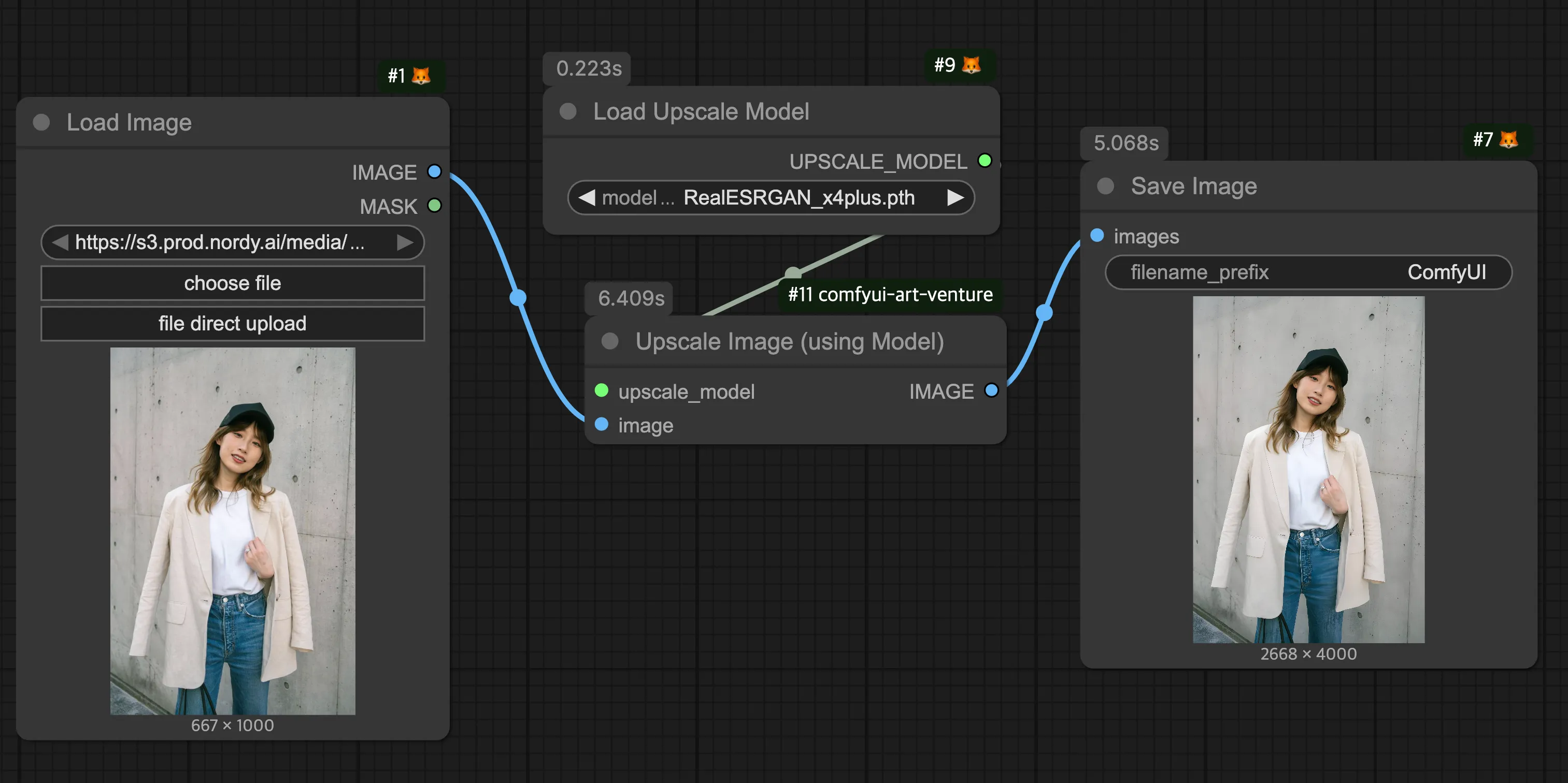
- RealESRGAN_x4 and 4x-Ultrasharp models are good starting points to try first.
- Upscaling too aggressively from low resolution (~1024p) may produce artifacts in fine details.
Ultimate SD Upscale
Section titled “Ultimate SD Upscale”A workflow that combines the Image-to-Image process with upscaling. Through tiling, the image is divided into smaller sections and sequentially regenerated, enhancing the image by filling in lacking details.
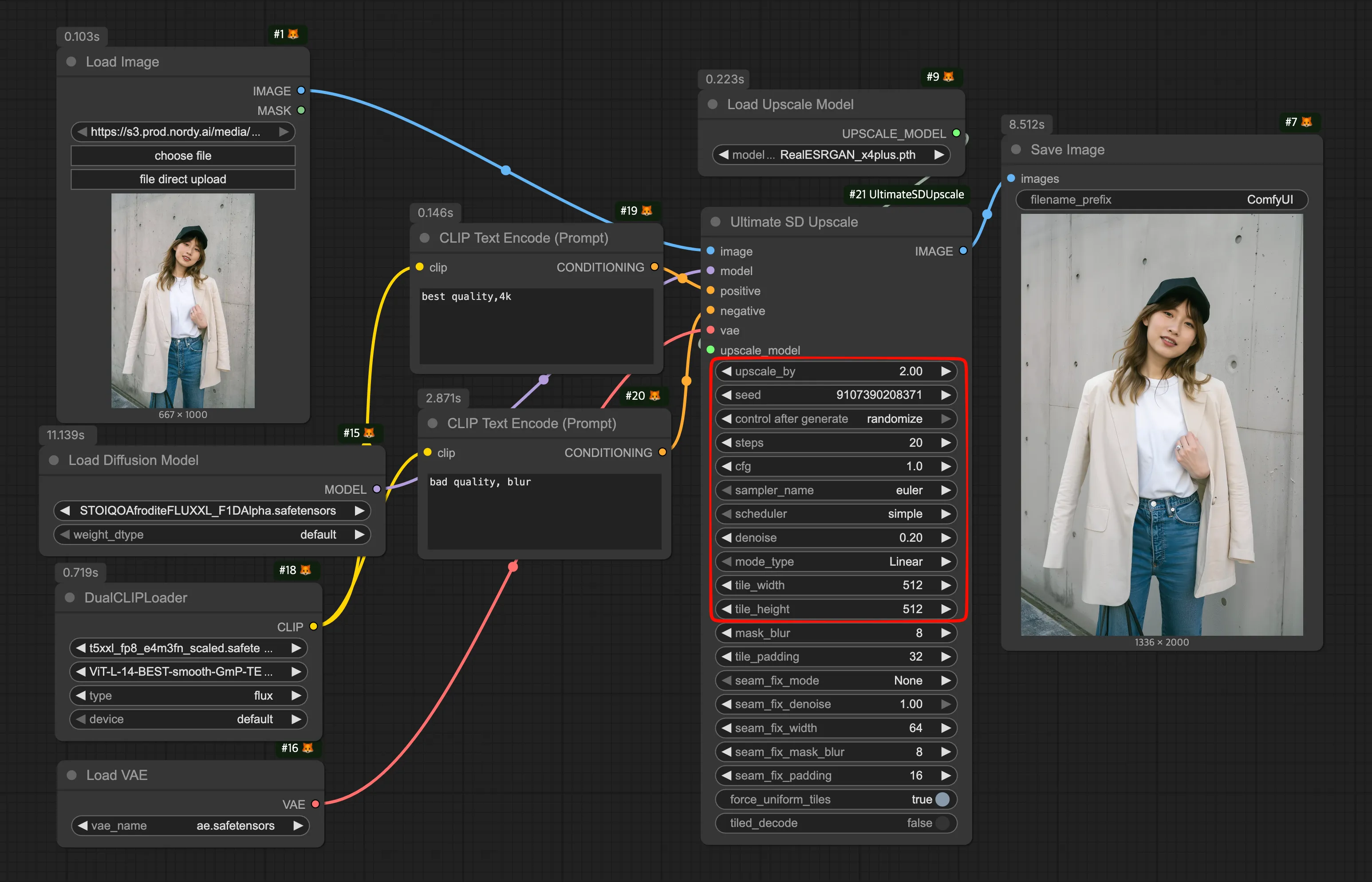
- Adjust settings like a standard KSampler node, but keep
denoiseat 0.5 or below to preserve the original composition. - Since upscaling is done through regeneration, prompts also have an effect — make sure to write prompts that match the subject and purpose.
SeedVR2 Upscaler
Section titled “SeedVR2 Upscaler”A recently popular open-source upscaler that offers a good balance between upscaling and image enhancement.
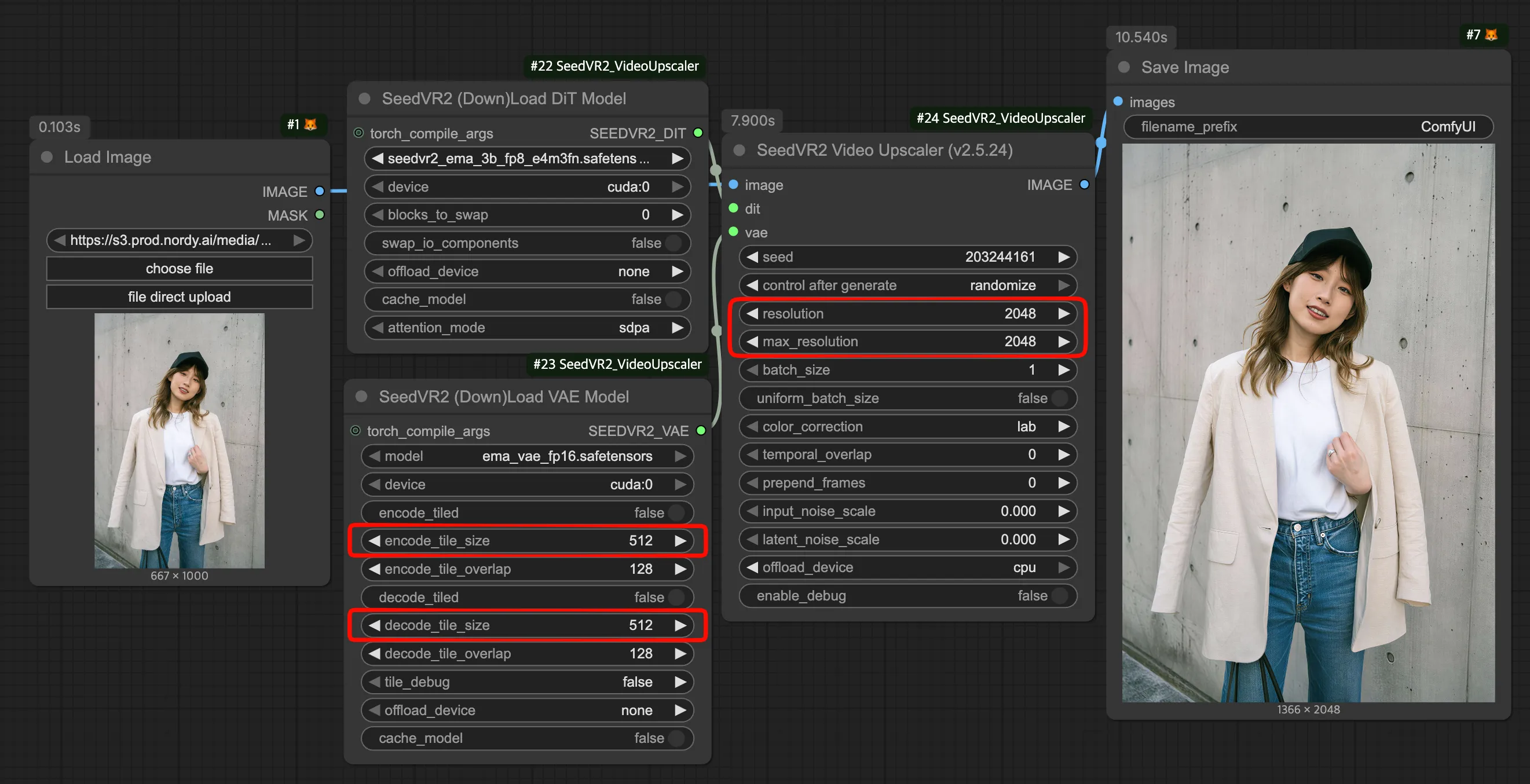
- The
tile_sizemust be set smaller than the original image for upscaling to work properly.
Recommendations by Use Case
Section titled “Recommendations by Use Case”| Purpose | Recommended Model | Reason |
|---|---|---|
| General high quality | SeedVR2 Upscaler | Balanced between preserving the original and enhancing the image |
| Quick upscale | RealESRGAN_x4, etc | Fast and simple upscaling |
| Image enhancement (regeneration) | Ultimate SD Upscale | Fixes detail issues through regeneration |